Seeking to display static and dynamic content on an Nginx container, I integrated PHP into a Docker+Nginx environment. Here’s an overview of the process.
Build a Docker + Nginx environment
First, we will create a Docker+Nginx environment. For more information on how to run Nginx with Docker, please see the following article.

You will also need to edit the Nginx configuration file; see the following article for instructions on how to copy, edit, and use the Nginx configuration file from the container.
This article assumes that you have completed the work in the above two articles, have a Docker+Nginx environment, and are ready to edit the configuration files.
Add PHP container with Docker Compose
To add a PHP container in addition to Nginx with Docker Compose, edit docker-compose.yml as follows to add the php configuration.
version: "3"
services:
    nginx:
        build: .
        ports:
            - 8080:8080
        volumes:
            - ./content_home:/usr/share/nginx/html

    php:
        image: php:8-fpm
        volumes:
            - ./content_home:/usr/share/nginx/html
The following section of php: was added.
Additionally, I adjusted the port number for nginx: to suit my testing environment, though this modification isn’t mandatory.
Nginx configuration
Modify the Nginx configuration by editing the default.conf file.
server {
    listen       8080;
    listen  [::]:8080;
    server_name  localhost;

    #access_log  /var/log/nginx/host.access.log  main;

	root   /usr/share/nginx/html;
	index  index.html index.htm index.php;

    location / {
    	try_files $uri $uri/ /index.php$is_args$args;
    }

    #error_page  404              /404.html;

    # redirect server error pages to the static page /50x.html
    #
    error_page   500 502 503 504  /50x.html;
    location = /50x.html {
        root   /usr/share/nginx/html;
    }

    # proxy the PHP scripts to Apache listening on 127.0.0.1:80
    #
    #location ~ \.php$ {
    #    proxy_pass   http://127.0.0.1;
    #}

    # pass the PHP scripts to FastCGI server listening on 127.0.0.1:9000
    #
    location ~ \.php$ {
        root           /usr/share/nginx/html;
        fastcgi_pass   php:9000;
        fastcgi_index  index.php;
        fastcgi_param  SCRIPT_FILENAME  $document_root$fastcgi_script_name;
        include        fastcgi_params;
    }

    # deny access to .htaccess files, if Apache's document root
    # concurs with nginx's one
    #
    #location ~ /\.ht {
    #    deny  all;
    #}
}
The following locations underwent modifications.
- Move the
rootdefinition location. (Move out of scope oflocation /) - Move the location of the
indexdefinition. (Same asroot) - Add
index.phptoindex. - Change the definition of
location /.- Added
try_filesdefinition.
- Added
- Add definition of
location ~ .php?.- Uncomment settings that were commented out by default.
- Change
rootto/usr/share/nginx/html;. - Change
fastcgi_passtophp:9000. - Change
fastcgi_paramtoSCRIPT_FILENAME $document_root$fastcgi_script_name;.
Running Test
To validate its functionality, create an index.php file in content_home and input the following code.
<?php
	echo phpinfo();
?>
Next, run the following in a terminal.
docker-compose up -d --build
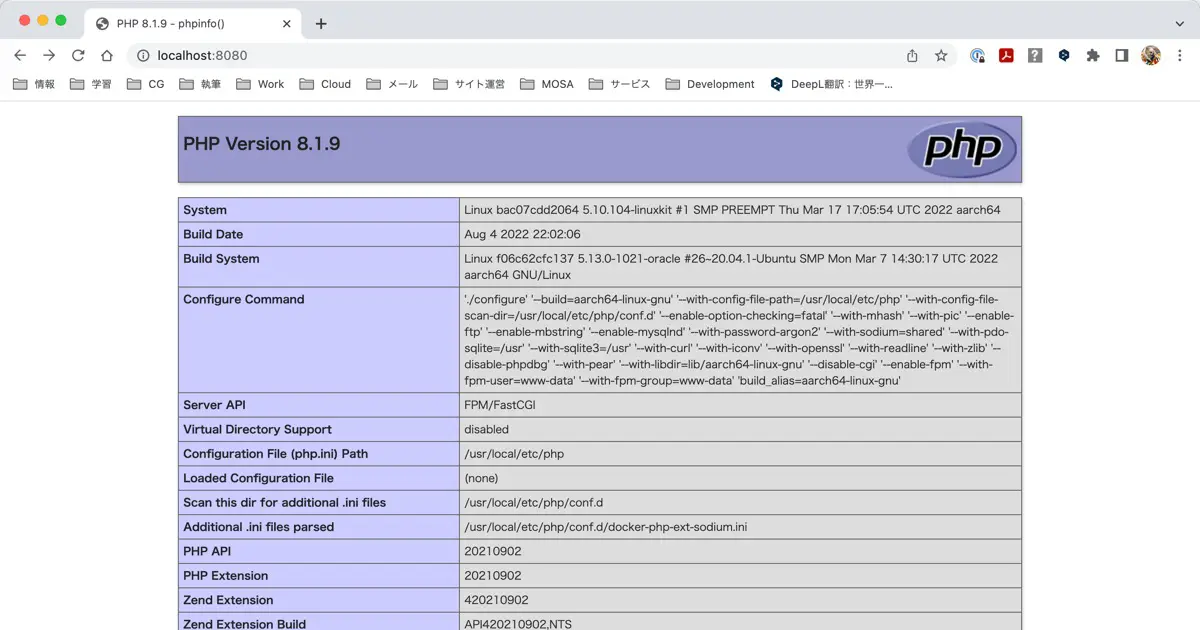
Open http://localhost:8080/index.php in your browser. If successful, you will see the output of phpinfo() as follows.