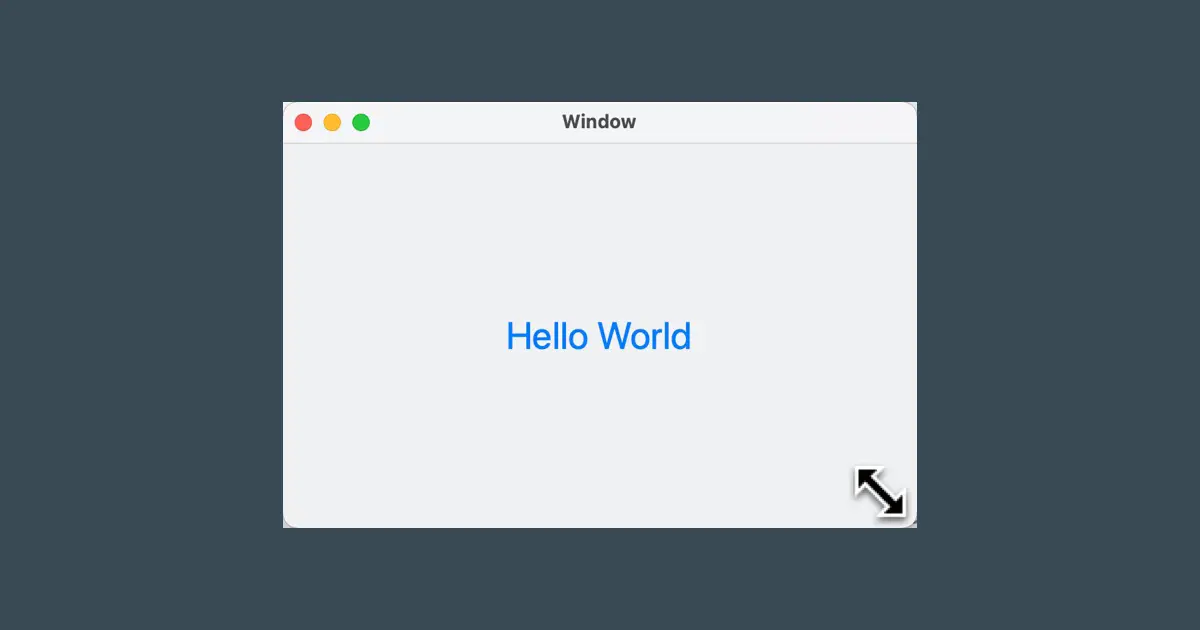
This article explains how to terminate the app when the window is closed.
We add the code to the Cocoa Hello World which was created in the previous article. You can download it from the following article.
About the delegate
AppKit uses the delegate pattern to execute app-side processing from AppKit. Although “delegate” generally means “representative” in app development and AppKit usage, it refers to taking over a part of the processing. You can imagine callback objects or callback functions.
In Swift and Objective-C, the delegate is defined by the protocol, and the delegate object is an instance of a conforming class of the protocol that implements the methods defined by the protocol.
Though explaining it verbally may seem complex, you’ll better understand it when you practice it.
NSWindowDelegate
AppKit executes the methods of the window’s delegate when the window is closed. The methods executed are the following methods of the NSWindowDelegate protocol.
- (void)windowWillClose:(NSNotification *)notification;Implement the delegate class
You must implement a class that conforms to the NSWindowDelegate protocol. Our compact Cocoa Hello World app will implement these delegate methods within the HelloWindowController class. Make the HelloWindowController class double as a window controller and delegate. It is easy to understand window related controls are all in one place.
Add the delegate code
Add the code to HelloWindowController.swift as follows.
import Cocoa

class HelloWindowController: NSWindowController, NSWindowDelegate {

    let minWindowWidth: CGFloat = 200
    let minWindowHeight: CGFloat = 150
    let maxWindowWidth: CGFloat = 1200
    let maxWindowHeight: CGFloat = 900

    override func windowDidLoad() {
        super.windowDidLoad()

        window?.minSize = CGSize(width: minWindowWidth,
                                 height: minWindowHeight)
        window?.maxSize = CGSize(width: maxWindowWidth,
                                 height: maxWindowHeight)

        window?.makeKeyAndOrderFront(nil)
        window?.center()
    }

    func windowWillClose(_ notification: Notification) {
        NSApplication.shared.terminate(self)
    }
}
The changed parts are the following two parts.
- Add the
NSWindowDelegatedeclaration. - Add the
windowWillClose()method.
Terminate the app
To terminate the app in the AppKit app, use the terminate() method of the NSApplication class.
An instance of the NSApplication class is created for each process. This instance can be accessed via the shared property of the NSApplication class and is commonly used within your app.
Set the delegate of the window
To set the delegate of the window, configure it in the storyboard file or write the code.
By a code
Set an instance of the delegate object to the delegate property of the NSWindow class.
Configure in the storyboard file
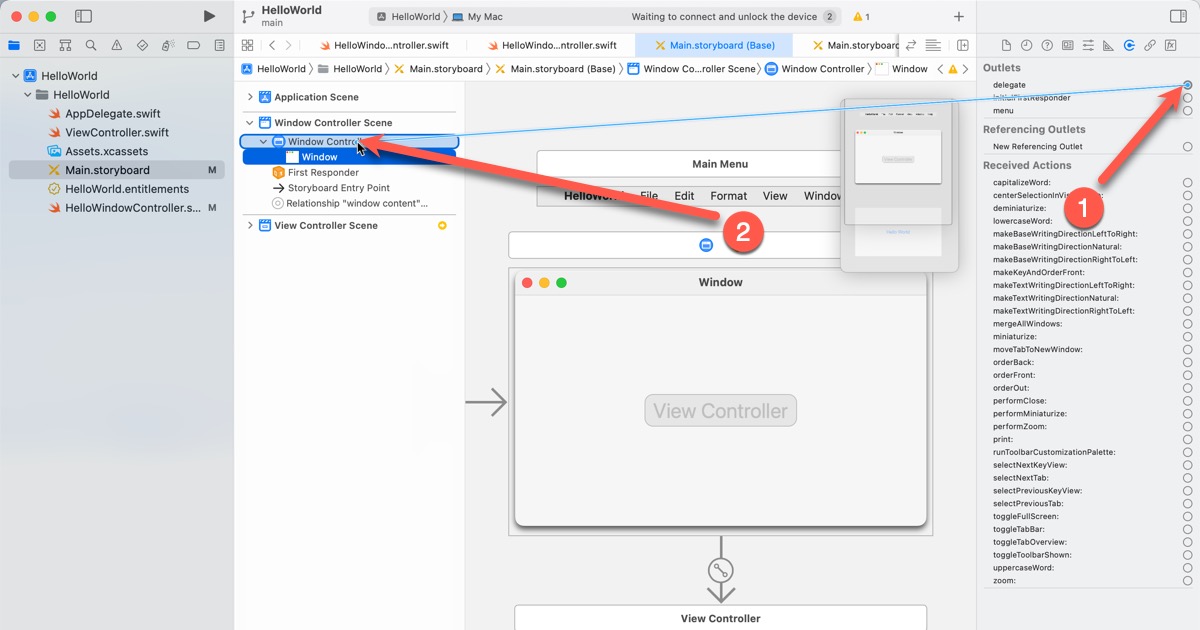
Follow the steps below to configure the delegate in the storyboard file. Cocoa Hello World has the window controller already set up as a delegate. Still, it may differ depending on the Xcode versions, so check it.
(1) Open the “Main.storyboard”.
(2) Select the “Window” of “Window Controller” of “Window Controller Scene”.
(3) Open the connection inspector, and check the object connected to the “delegate” of the “Outlets”.
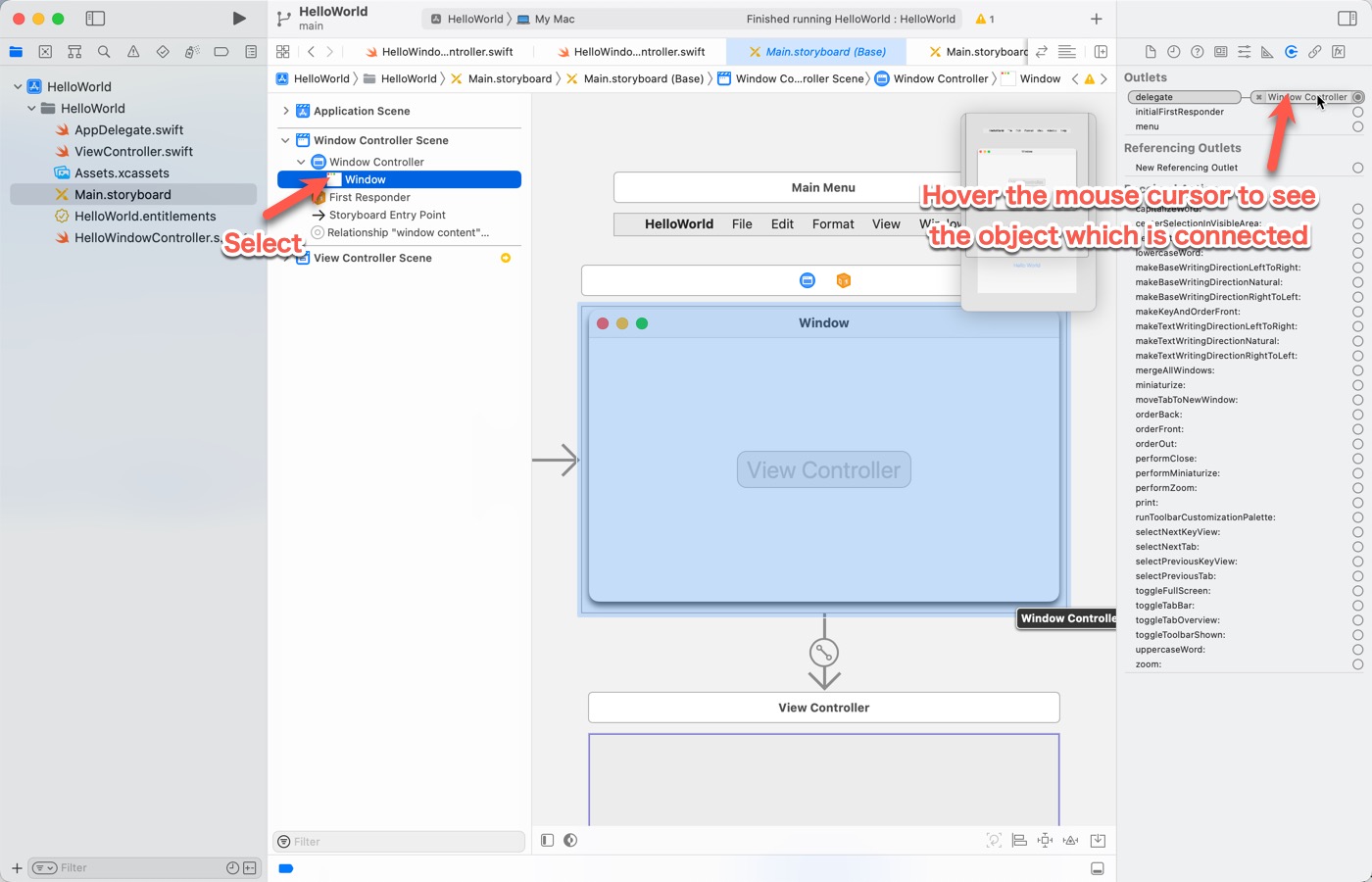
(4) Connect Window Controller to the delegate.
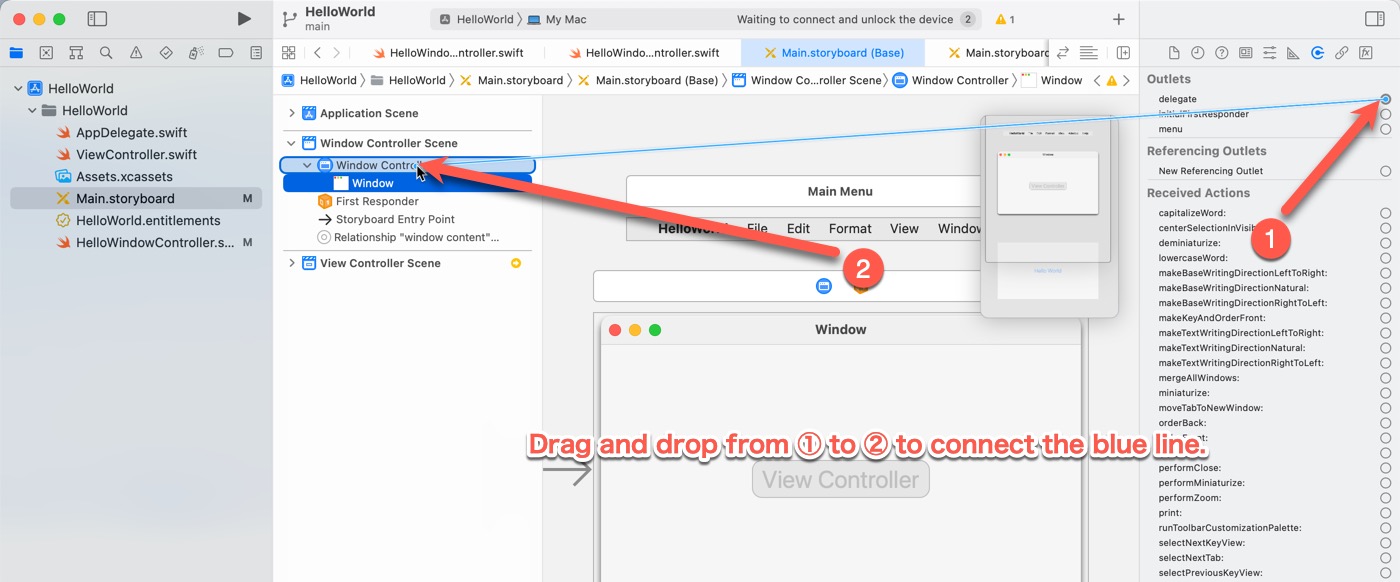
If it is out of place, or if something other than Window Controller is set, connect Window Controller to the delegate by referring to the following screen capture. Drag and drop from (1) to (2) in the screen capture and connect the blue line extending from (1).
Properties such as delegate that can be set on the Storyboard are called “outlets”.
Test
Run the application. When the window appears, click the window’s close box to close it. The application will then close. Closing the window from the menu by selecting “Close” from the “File” menu will also close the window.
Download the sample code
The sample code can be downloaded from here.